Advanced Strength Programming

Build, track, and analyze
your own programs.

Oxblood Barbell is a program builder and tracking app for strength athletes. Set up multi-phase training blocks, log your sessions, and monitor fatigue and 1RM trends over time. Share exact program setups with training partners or clients in one tap.

Progression Protocols
9
Analytics Modules
12
Cloud Sync
Real-time
Spreadsheets needed
Zero
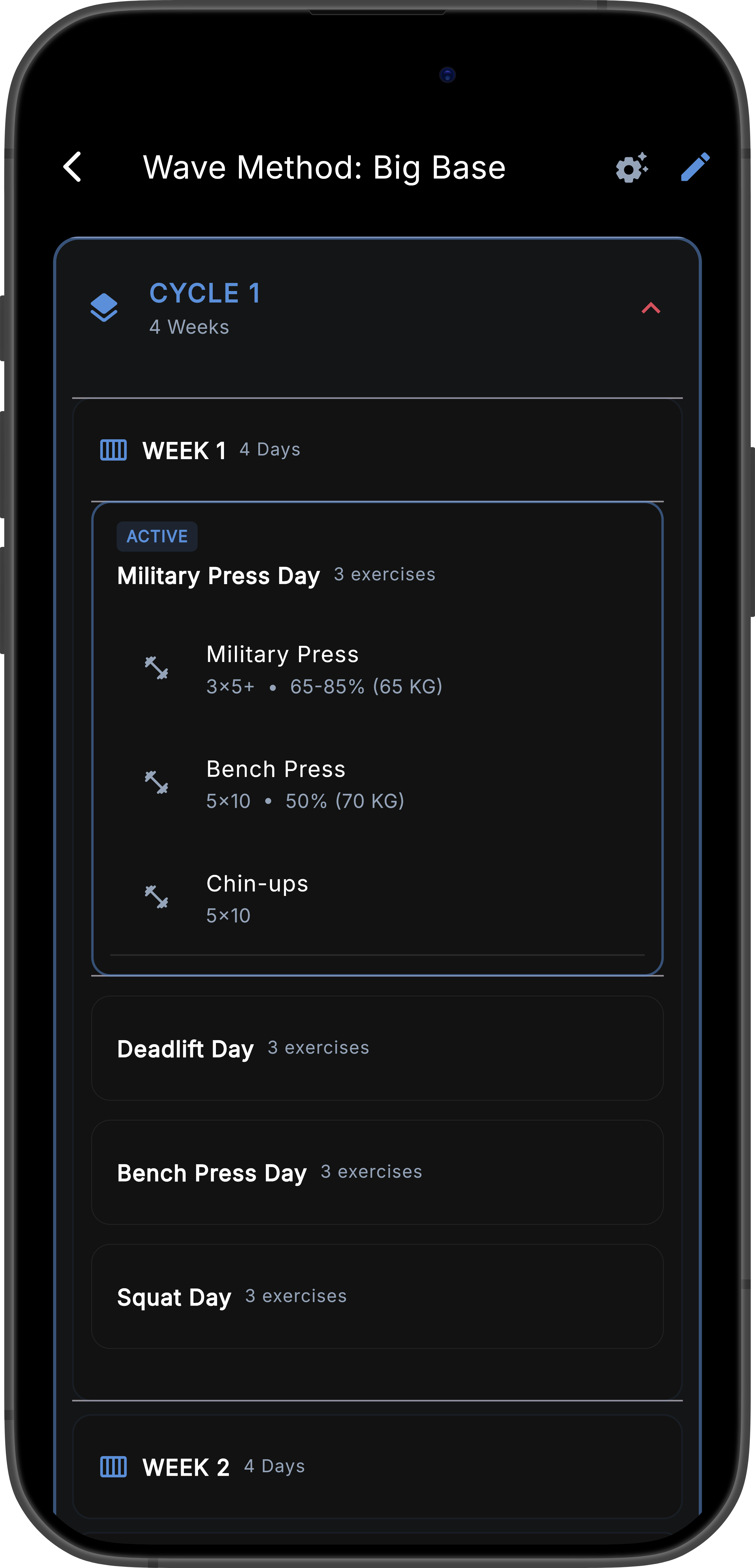
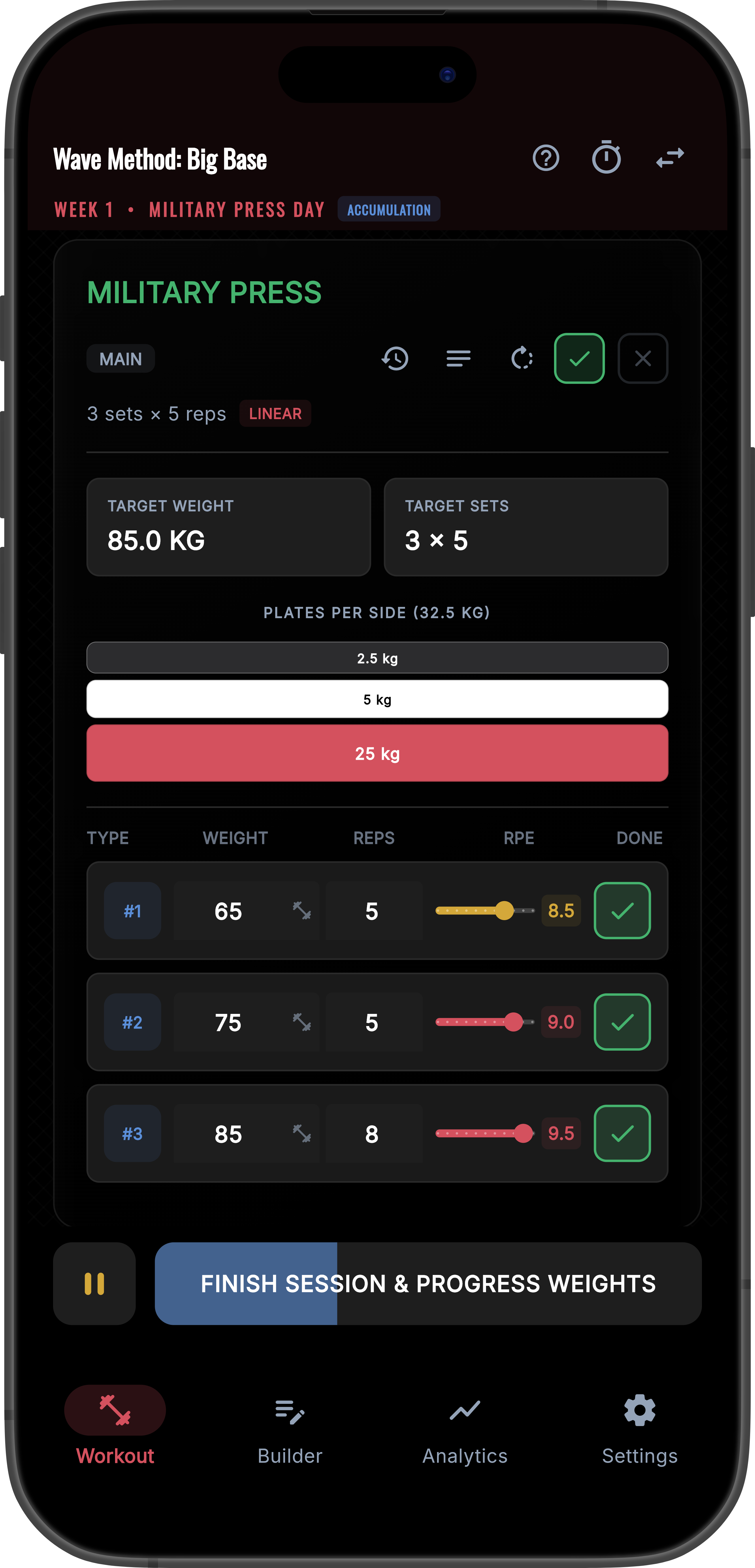
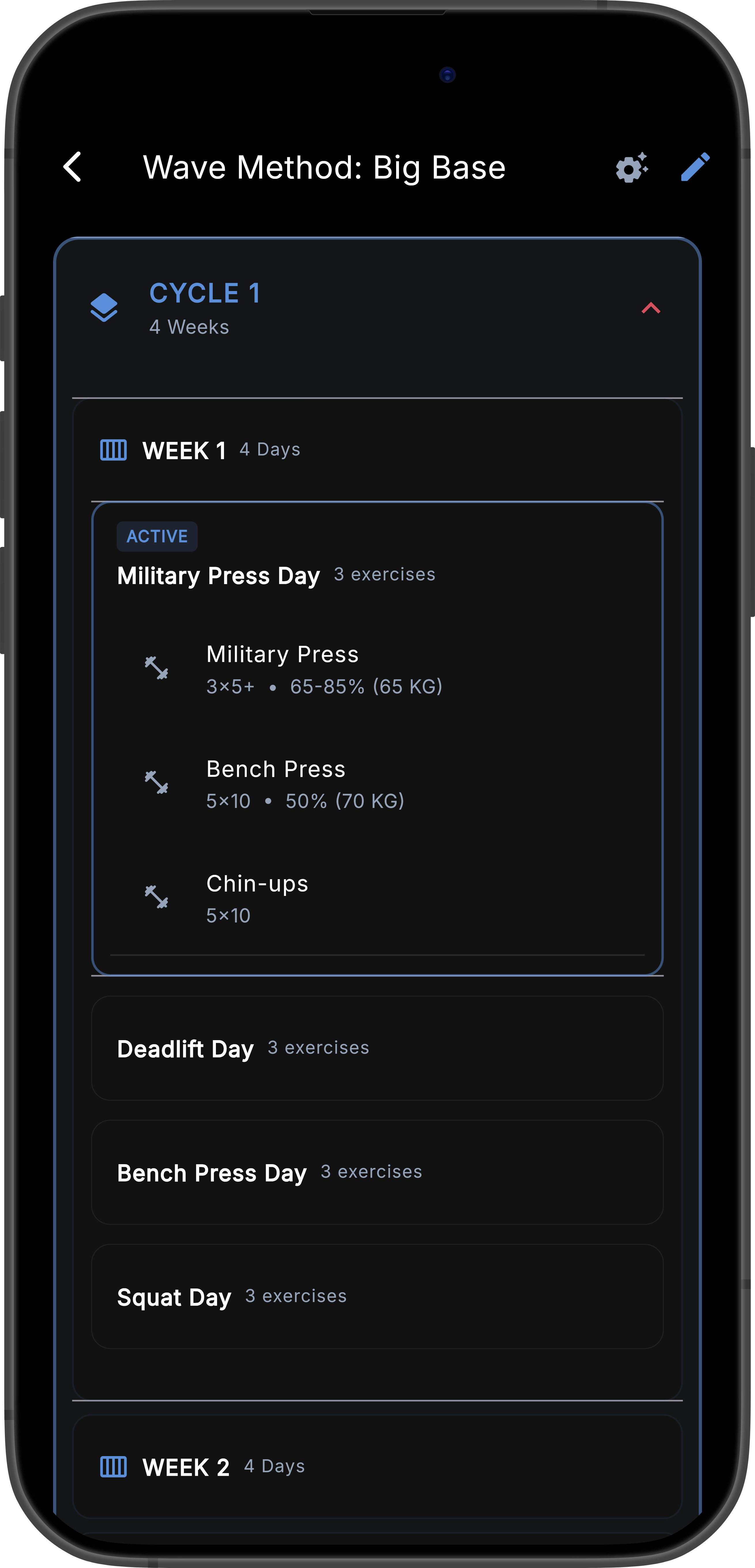
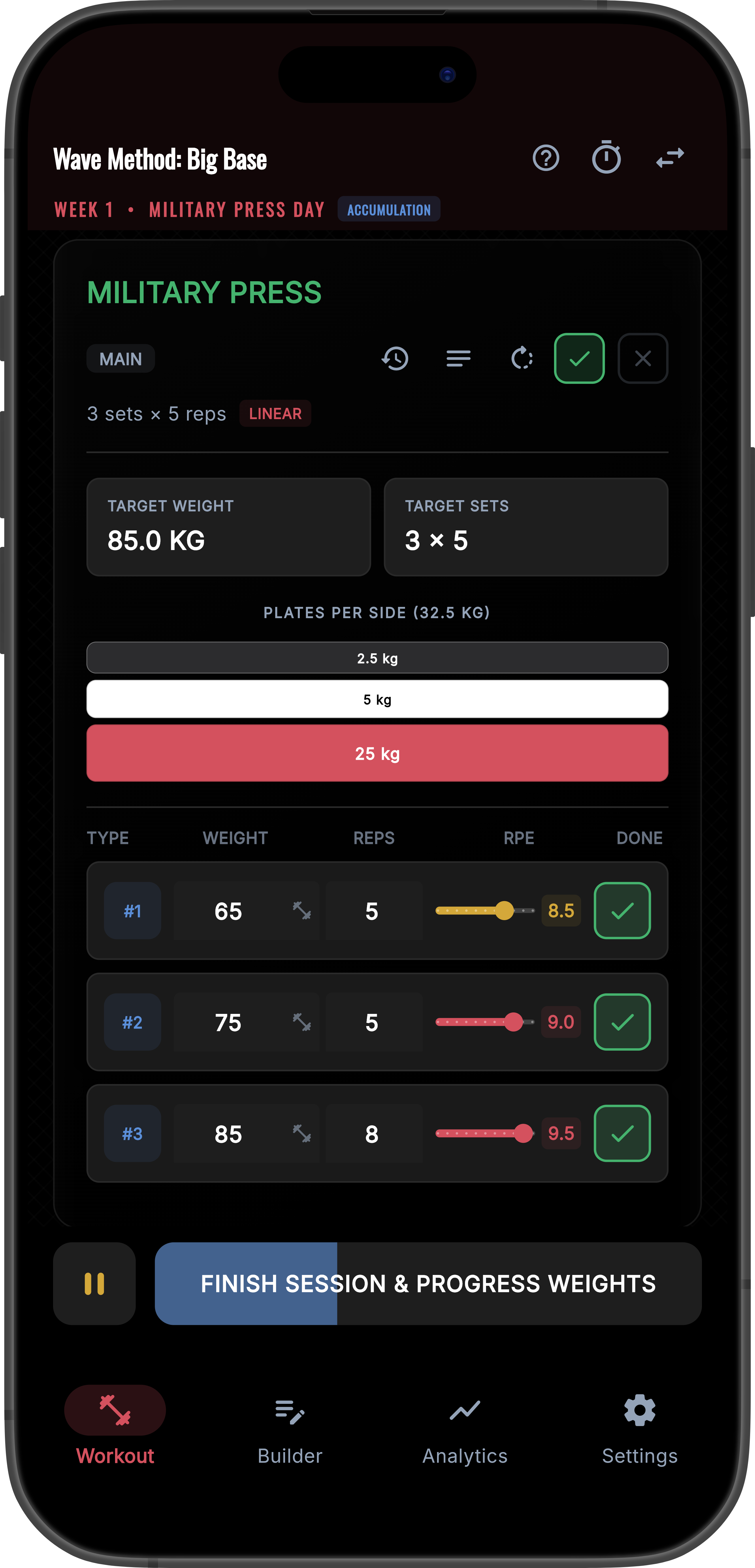
Tablet App Interface Analytics on Phone Active Workout on Phone
1. Build

Construct multi-phase training blocks with per-exercise progression rules. Linear, Wave, APRE, DUP, and more. The app calculates weights automatically each session.

2. Track

Log 1RM projections, muscle group load, and daily readiness. Autoregulation adjusts your working weights based on pre-session fatigue data.

3. Analyze

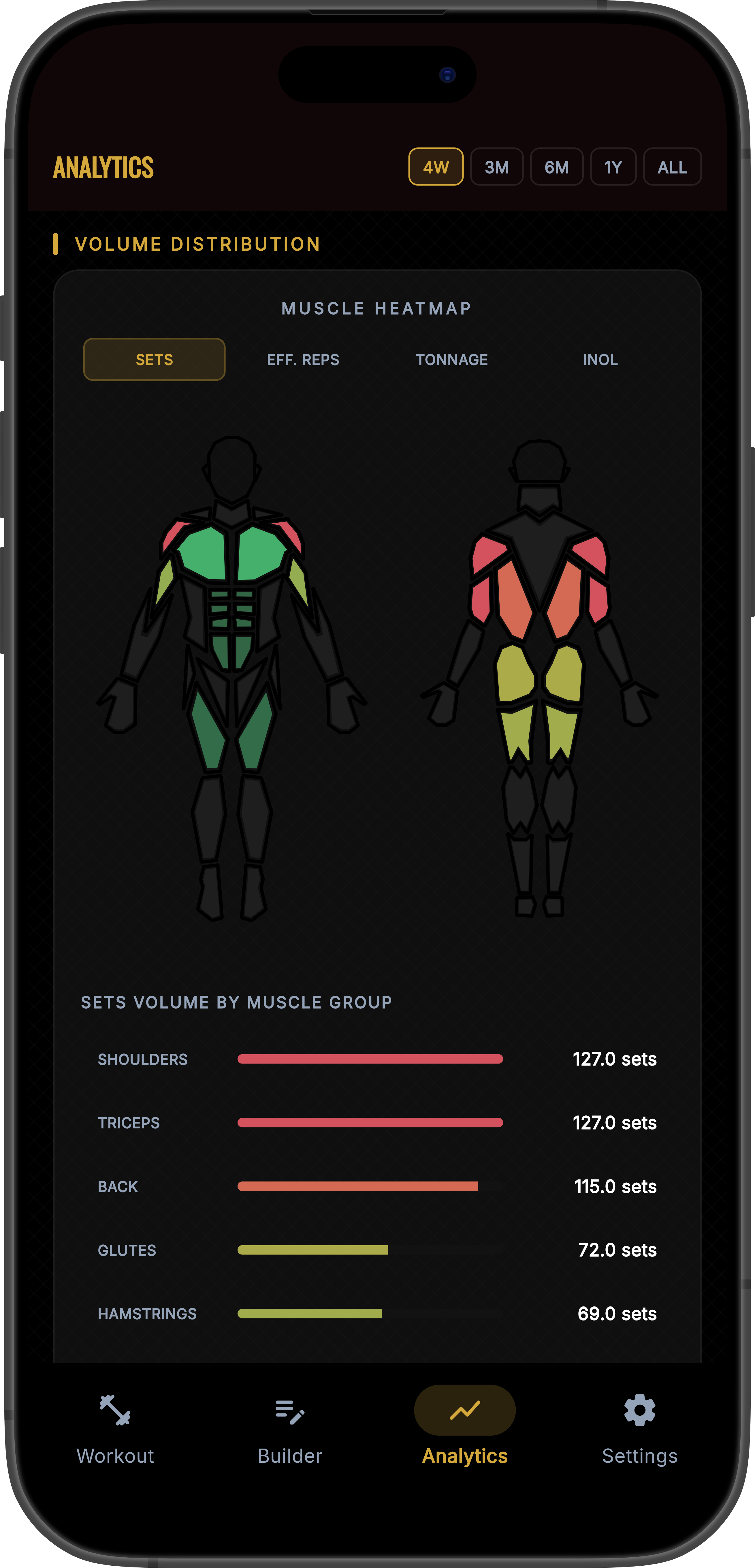
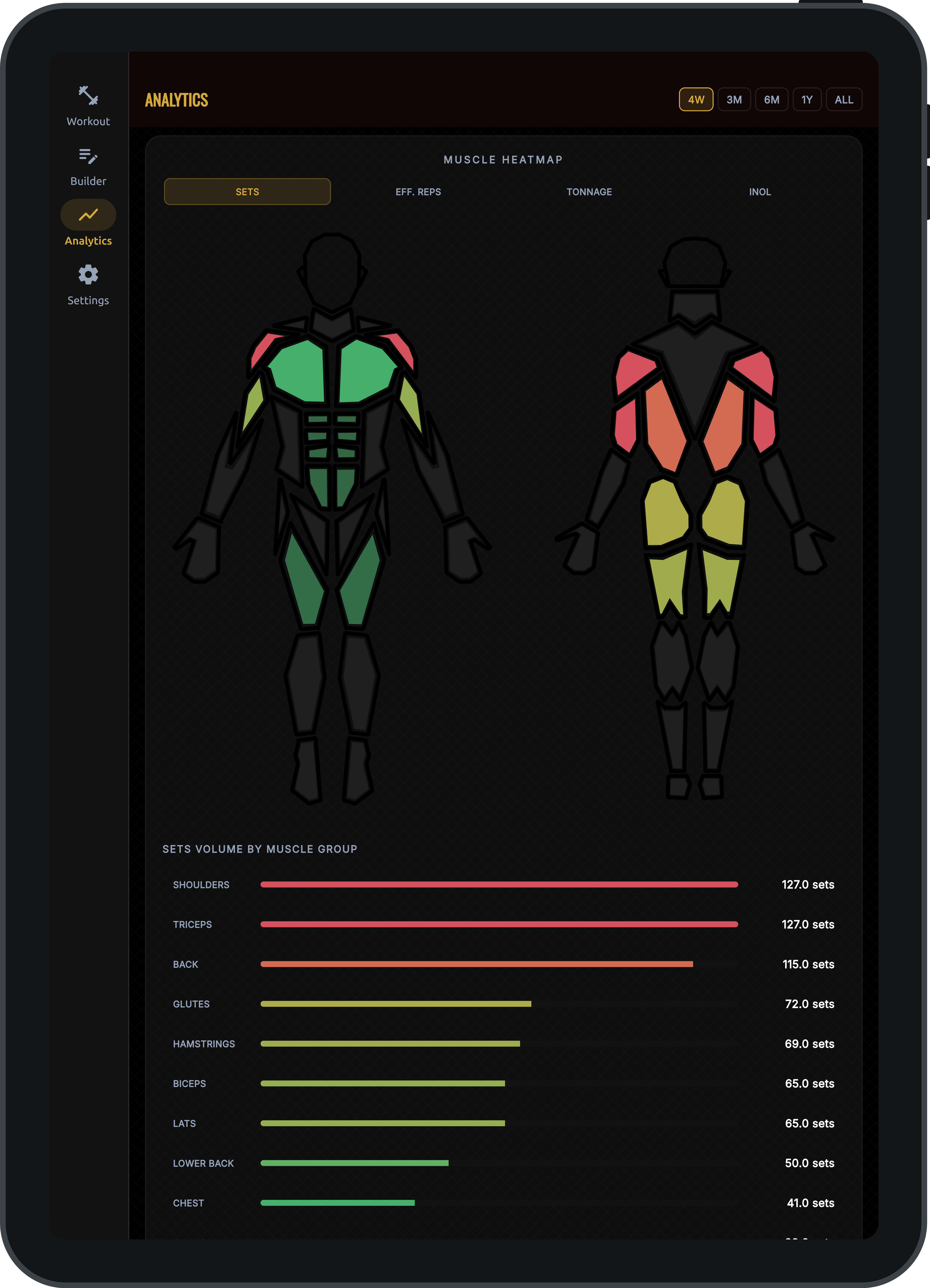
Muscle heatmaps, TSB graphs, 1RM trends, and 12 analytics modules tell you exactly what's working and when to back off.

The Builder

A program builder that covers how serious lifting actually works.

Every feature maps to a real programming concept. No simplified approximations.

Hierarchical Program Structure

Programs → Blocks → Weeks → Days → Exercises. Build multi-phase peaking blocks with a separate Training Max per lift. Duplicate full weeks or blocks in one tap.

Percentage and Absolute Modes

Set any exercise to use absolute weights or TM-relative percentages. Back-off sets link to a parent exercise and recalculate automatically when the parent's TM advances.

9 Progression Protocols

Linear, Double Progression, Step Loading, Wave, Periodized, Failure Steps, APRE, AMRAP Feedback, and DUP. Assign one per exercise and mix freely inside the same block.

Accommodating Resistance

Set band or chain tension per exercise. In Percentage mode, tension scales with your Training Max. Calibration stays accurate as your numbers move.

Daily Undulating Periodization

Assign independent sets, reps, and intensity targets for the same exercise on different days. Each day is configured separately with no fixed labels.

Autoregulation

Log sleep, stress, and soreness before each session. The app reads your readiness score and reduces sets or load when recovery is low. No manual input needed during the session.

Progression Protocols

Nine protocols. Assign one per exercise. Mix freely.

The app handles all weight advancement logic. One exercise can run Wave while another runs APRE in the same training day.

Linear
Add a fixed increment each session. Weight goes up on a set schedule.
Double Progression
Build reps within a target range first, then add weight. The cycle repeats.
Step Loading
Hit N consecutive successful sessions before the next weight increment applies.
Wave
Cycle through intensity waves. Training Max advances after each complete wave.
Periodized
Set a start %, end %, number of weeks, and curve type. The app calculates each week's exact multiplier.
Failure Steps
Miss a target and the app drops to the next rep scheme at a lower load. Chained fallback logic runs automatically.
APRE
The app reads your final AMRAP set and applies your adjustment table. Weight advances or retreats without any input from you.
AMRAP Feedback
Your AMRAP set directly sets next session's weight. No table to configure. Simpler than APRE.
DUP
Rotate intensity and volume targets across training days. Each day is configured separately.
Read the full protocol specification →
Analytics

12 analytics modules covering strength, fatigue, and recovery.

Each module surfaces a specific type of information: where your numbers are trending, where muscle load is concentrated, and when to back off.

Strength
1RM Progression Chart

Estimated one-rep max over time, per exercise. Choose from Brzycki, Epley, or Lander formulas. Shows exactly when momentum stalls.

Volume
Volume Chart and Landmarks

Weekly tonnage per muscle group with MEV, MAV, and MRV lines overlaid. See whether you are under, inside, or over your optimal volume range.

Fatigue
TSB Graph

Chronic vs. acute training load displayed as a Form score. Shows when you are primed to peak and when to reduce intensity.

Recovery
Recovery Dashboard

Combines sleep, stress, and soreness logs into a recovery trend. Correlates readiness history with your session performance data.

Warning
Plateau Alert System

Detects stagnant lifts automatically. Alerts you before a plateau costs multiple training weeks. Includes protocol adjustment suggestions.

Balance
Muscle Heatmap

Relative load shown across all major muscle groups on a body map. Identify imbalances and neglected areas at a glance.

RPE
RPE Calibration Card

Tracks whether your logged RPEs match actual performance over time. Flags overconfidence before it corrupts your autoregulation data.

Density
Workout Density Chart

Training load per unit of time. Identifies sessions where total volume is high but effort concentration is dropping.

vs. Spreadsheets

What you stop doing when you switch from spreadsheets.

The app handles all weight calculation, progression logic, and scaling natively. You stop fixing broken formulas and start tracking results instead.

With Spreadsheets
Percentages break every time you update your training max
RPE adjustments are manual, if they happen at all
No visibility into which muscle groups are overloaded
A missed lift means rebuilding part of the plan by hand
No APRE or wave logic. Just static numbers per cell
Deload weeks are planned manually and often skipped
No TSB tracking, recovery data, or plateau detection
With Oxblood Barbell
Training Max advances automatically. All percentages recalculate instantly
Autoregulation reads your readiness score and adjusts load before the session starts
Muscle heatmap shows overloaded areas before they become injuries
Failure Steps chain fallback rep schemes with automatic load reduction
APRE, Wave, Step, and Periodized protocols built into each individual exercise
Deload weeks are flagged by the app. Volume adjusts automatically
TSB graph, recovery dashboard, and plateau alerts included

Free to download. Everything included from day one.

Cloud sync, all 12 analytics modules, and the full program builder are available at no cost. No trial period. No feature limits.